
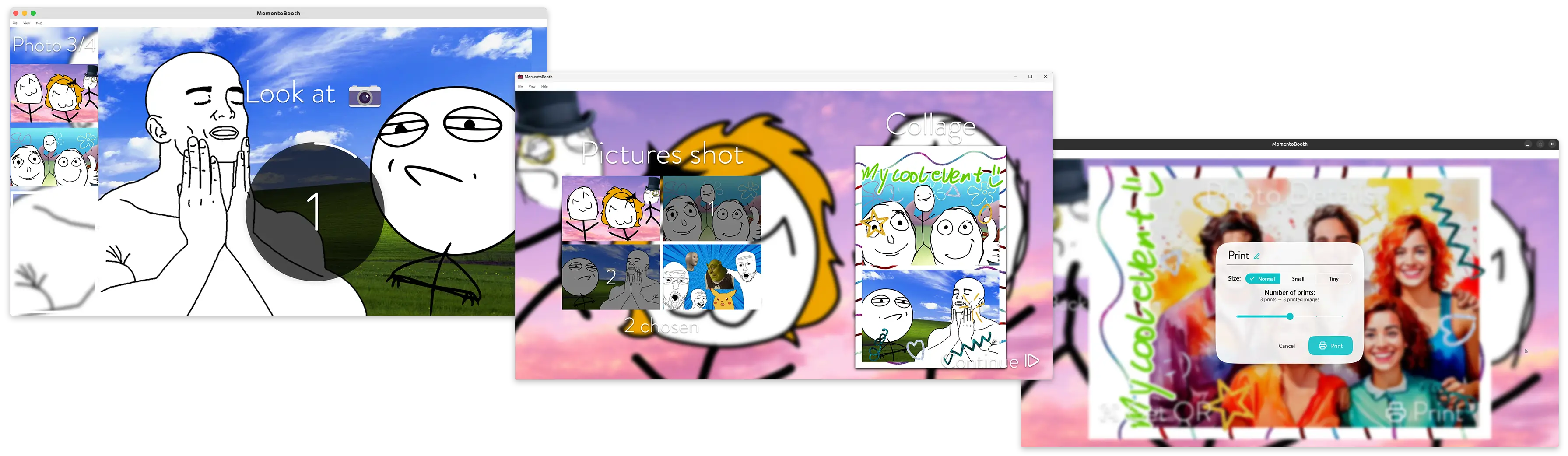
Cross-platform open source photo booth software. Capture your events in an easy and fun way!
Jump directly to installation steps
Jump directly to getting started guide
Features
- Capture images and collages
- Single capture
- Multi-capture
- Fixed layout – 2, 3, or 4 photos
- User chosen layout – shoot 4 photos and then select the ones you like to for a collage of 1, 2, 3, or 4 photos
- Manual collage creation – process pictures after untethered handheld shooting
- User friendly, touch-centered interface
- Beautiful animations
- Multi-language support
- Per project, a fixed language or a choice of languages for guests at multilingual events
- Different UI themes available
- Photo printing
- Visual print routing editor to decide which printer prints which print size, on what media and in which layout
- Combine multiple printers, e.g. to share the work or to print a photo in several ways at once
- Support for native printing method and dispatch to CUPS server
- Photo sharing using QR code with
ffsend - Theming with collage template images (background and foreground) and a live view overlay image
- Rich live view and capture options
- Select device with 1 click or select custom options & combinations
- Webcam
- You can use HDMI capture dongles that act as a webcam
- Digital camera
- Use any camera over USB that supports live view through libgphoto2, capture also required for high quality captures
- With Sony Imaging Edge Remote using AutoIt
- Quick debug options for when no hardware is available
- Gallery with created images
- Easily re-print or -share
- (beta) Analyse images and
- Order by # of people on picture
- Find your image with face recognition
- Keeps (local) use statistics – how many photos were taken, prints were made, …, in total and per project
- Easy administration
- Clear settings panel
- Keep organised with project directories
- Per project options, e.g. hiding the gallery or the QR code button
- Onboarding wizard for the first setup
- Command line options to open a project or start in full screen
- Health checks of external IPs/HTTP services with clear warning banners
- Notifies you of new releases and shows what changed
- Cross platform
- Windows (x64), macOS (Apple Silicon, macOS 15 or newer) and Linux (Flatpak for x86_64 and arm64, including the Raspberry Pi)
- Open source
- The About screen lists the licenses of all open source software MomentoBooth is built with
- Low system requirements
- Can run comfortably, even on old hardware
- Integrates with Home Assistant
- State communicated over MQTT
- Easy automation – e.g. WLED lights that respond to countdown and capture
- (experimental) Video messages
- Guests record a short video message for the hosts
- Transcription and summary through OpenAI-compatible endpoints, printed on a receipt printer
Planned
- Improve distribution options
- Windows arm64 distribution
- Maturing
- Provide choices in exception sharing
- Translate
- … to more languages
- … more parts of the app
- Test
- More cameras – get in touch!
- New features
- Backend/control API
- Physical button control options
- Voice/LLM control
- Remote monitoring
- Deep learning based background removal
- Video capture support
- Offer more control over collage layouts
- Allow generating reports for easier support
- More sharing options
- Backend/control API
Development
For development setup instructions, see the dev documentation.
Translations
MomentoBooth uses the awesome Weblate to manage translations. If you would like to add a new language or improve existing translations, please use Weblate to make suggestions — Weblate will automatically create a PR for you!
Currently supported languages are
| Language | State |
|---|---|
| 🇬🇧 English | ✅ Base language |
| 🇳🇱 Dutch | ✅ Fully checked |
| 🇫🇷 French | Mostly checked |
| 🇩🇪 German | ⚠️ Unchecked |